Free CAD with nothing to install
Most CAD asks for a multi-gigabyte download, an account, a licence check and a graphics card it approves of. Marsam 3D is a browser tab. It is free, it starts in seconds, and it does real parametric solid modelling — the same history-based modelling the big packages do.
What "parametric" means, in plain words
Your part is stored as the list of steps that made it, not just the finished shape. Draw a rectangle, pull it up into a block, round the corners, drill a hole — that is four steps. Go back to step one a week later, change 40 mm to 55 mm, and the block, the rounds and the hole all rebuild around it. That is the difference between CAD and a 3D drawing program.
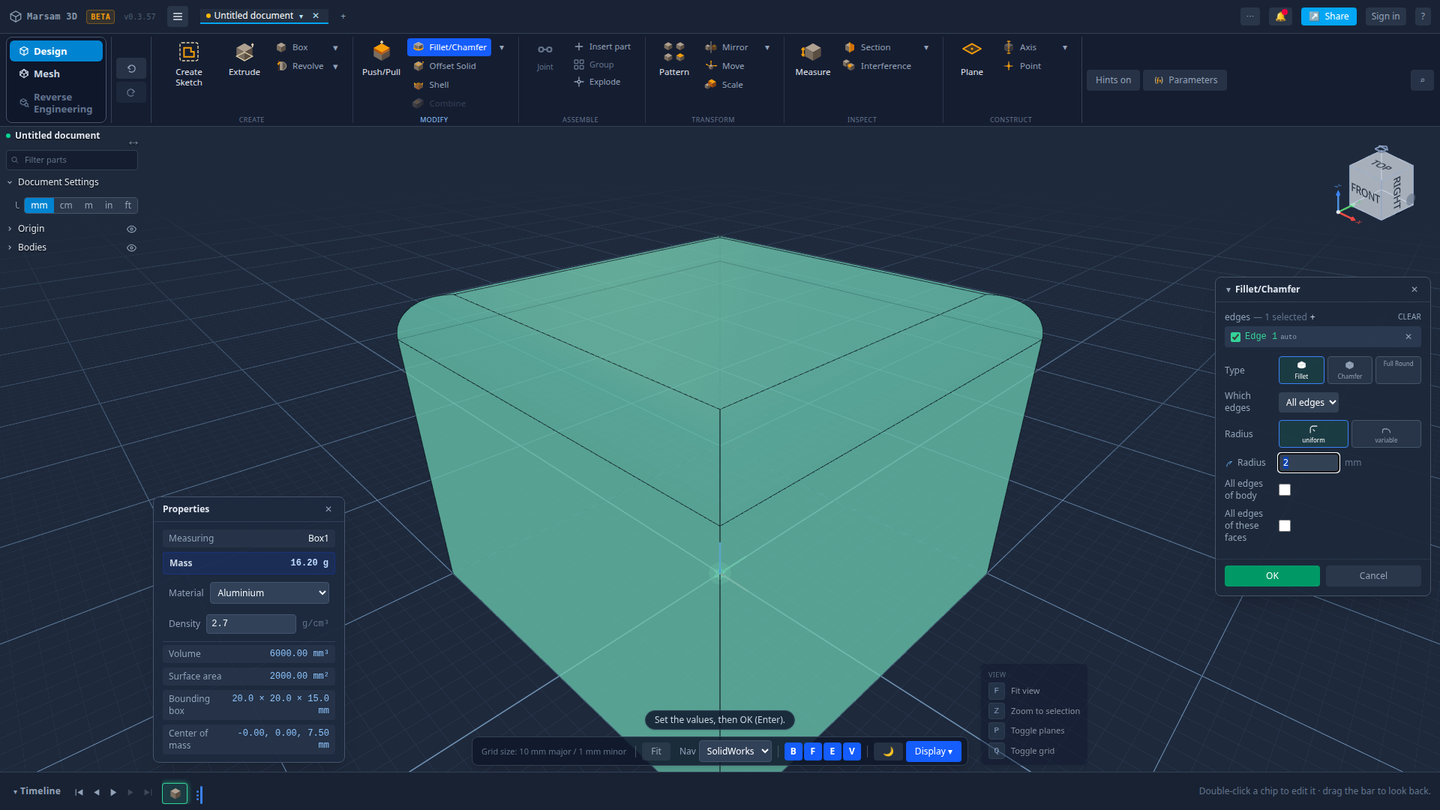
What you get
- Sketching with constraints. Lines, arcs, circles, rectangles and slots, locked down with geometric and dimensional constraints so the shape holds its intent.
- Solid tools. Extrude, revolve, fillet, chamfer, shell, split, patterns and mirrors, all on a real CAD kernel — not a mesh pretending to be one.
- A live timeline. Every step is a chip you can double-click to edit, drag to roll back, or delete.
- Numbers as you work. Volume, surface area, bounding box, centre of mass, and mass for the material you pick.
- STEP import that gives the steps back. See how.
- Export. STEP, STL, 3MF, OBJ, DXF from a sketch, PNG of the view.
- Share links. Send someone a link and they see the model in their browser.

Why a browser is a real place to do this
The CAD kernel — the piece of software that actually decides what a fillet does to a corner — is the same kind of industrial kernel desktop CAD uses, compiled to run inside the browser. The work happens on your machine. Nothing is uploaded unless you ask for it, and the tab starts as fast as any other website.
It also means no version to keep up to date, no licence to move between machines, and the same app on Windows, macOS and Linux.
It works offline too. Install it from the browser's address bar and it runs as a desktop app, with no connection needed.
How it compares to the other free options
| Option | Install | Parametric | The catch |
|---|---|---|---|
| Marsam 3D | None | Yes | Young, and focused on parts rather than assemblies |
| FreeCAD | Desktop | Yes | Famously steep first week |
| Onshape free | None | Yes | Your documents are public on the free plan |
| Tinkercad | None | No | Block-based; no real STEP surfaces |
They are honest alternatives; pick the one that fits. If what you want is to open a part, change a dimension and get a STEP back out without installing anything, start here.
Common questions
Is there genuinely free CAD software?
Yes. Marsam 3D is free and runs in a browser with nothing to install. FreeCAD and Onshape's free plan are other options; FreeCAD is a desktop download, and Onshape's free plan makes your documents public.
Does browser CAD need a powerful computer?
It needs a reasonably modern browser with WebAssembly and WebGL, which every current browser has. An ordinary laptop is enough.
Can I use it offline?
Yes. Marsam 3D installs as an app from the browser and keeps working without a connection.
What can I export?
STEP for other CAD, STL and 3MF for 3D printing, OBJ for general use, DXF from a sketch, and a PNG of the view.
Is it a real CAD kernel, or a mesh modeller pretending?
A real solid-modelling kernel, compiled to run inside the browser. Fillets, shells and booleans work on true surfaces, which is why a STEP export comes out as a proper solid.
Try it on your own part
Open a file, change something, export it again. Free, and nothing to install.
Open Marsam 3D