Turn a STEP file back into editable features
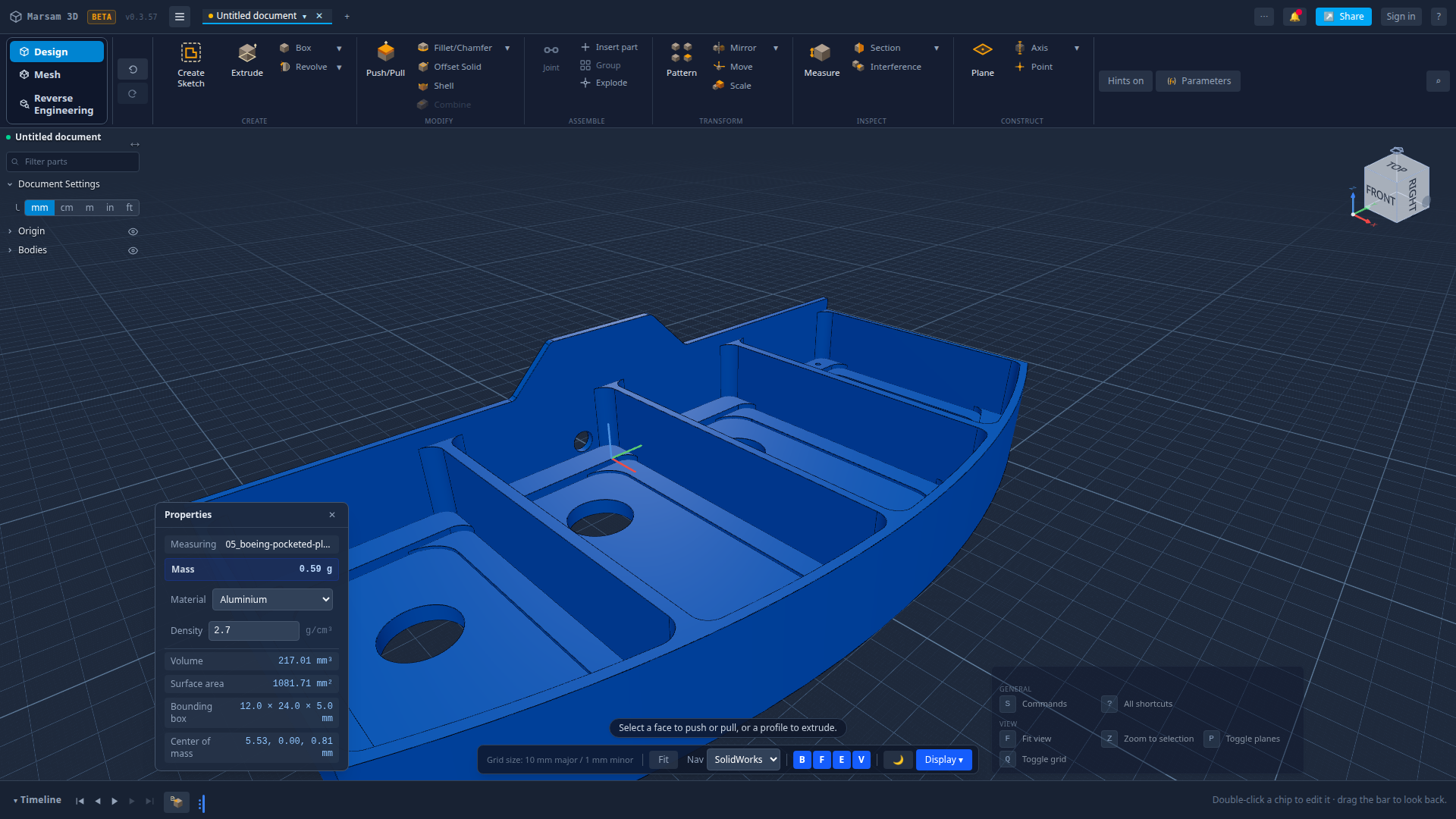
Imported parts normally arrive as one frozen lump: you can look and measure, but you cannot change a hole from 5 mm to 6 mm. Marsam 3D reads the shape, works out how the part was probably made, and offers to rebuild it as steps you can edit.
Why an imported part cannot normally be edited
When CAD writes a STEP file it writes the answer, not the working: surfaces, edges and solids, with no record of the sketch that started it or the order the shapes were cut. Open that file anywhere else and you get a single body. Every tool in the timeline is greyed out because there is no timeline — there is one item on it, called "imported".
That is fine if you only need to look. It is useless if you need the flange 3 mm thicker.
What Marsam does instead
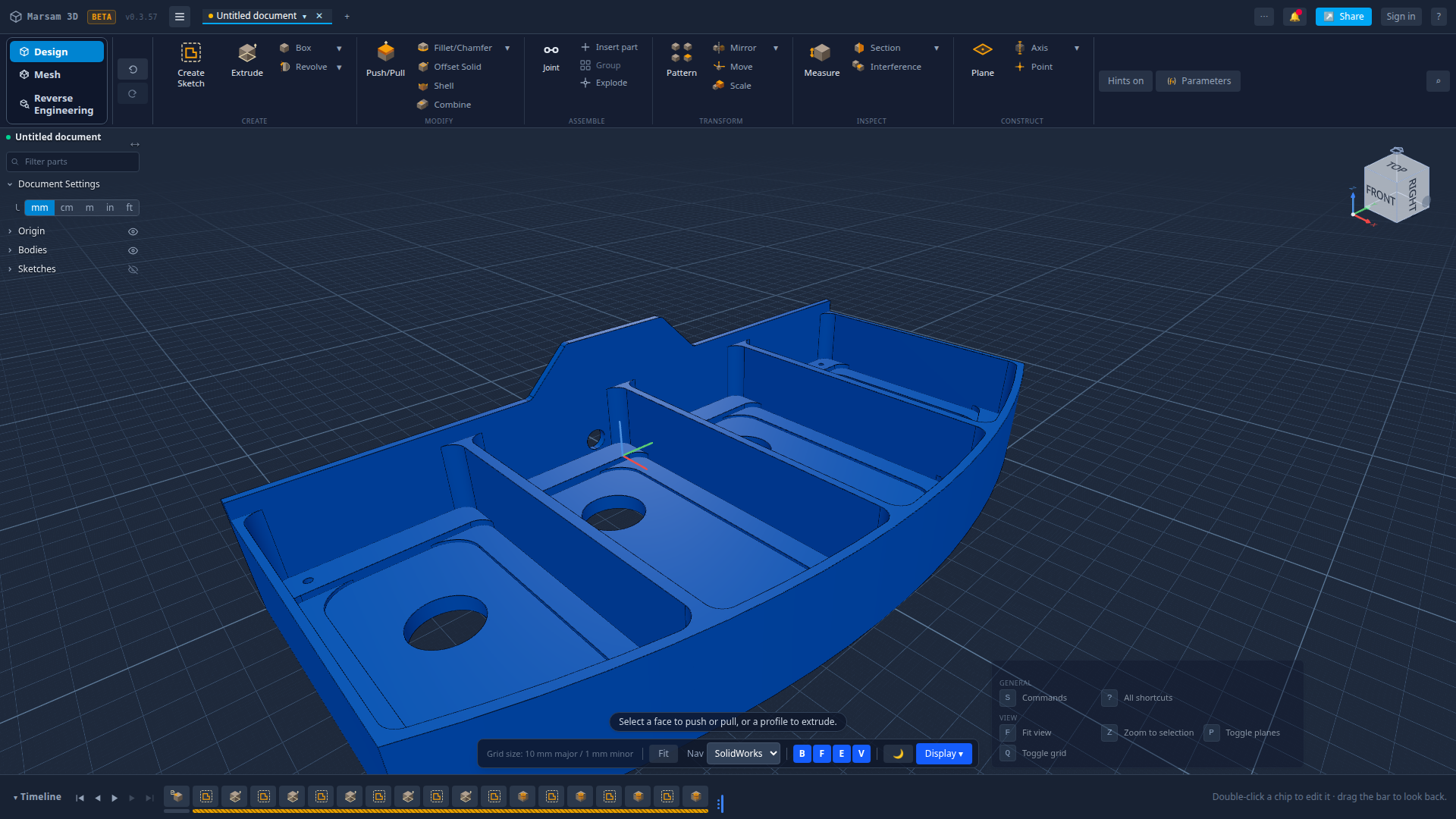
As soon as a STEP part is imported, Marsam studies the shape — the flat faces, the cylinders, the rounds, how they sit relative to each other — and tries to write a recipe that would produce exactly that part. If it succeeds, it asks:
Say yes and the single lump is replaced by a proper feature timeline: a base profile, the extrusions, the pockets, the holes, the rounds — each a step you can double-click and edit, exactly as if you had drawn the part yourself. The plain import is kept, hidden, so nothing is lost and one undo puts it back.

The rule this feature is held to
Anything Marsam claims to recognise must be something Marsam can also build with its own commands. A recognised feature you cannot recreate is not understood, only described — and a step you can see but never change is worse than no step at all. So each recovered feature maps onto a real command: a sketch and an extrude, a pocket, a hole, a round.
The other half of that rule is honesty about failure. Where the shape cannot be explained as something the app could have built, it is left as imported geometry and said so plainly, rather than dressed up as a step that would give you the wrong answer the first time you edited it.
What you can do once the steps are back
- Change a hole diameter or depth and let everything downstream rebuild.
- Edit the profile a pocket was cut from.
- Change a round from 2 mm to 4 mm, or take it off entirely.
- Delete a feature that should not be there.
- Export a fresh STEP with your changes in it.
Common questions
Can you edit a STEP file after importing it?
Not normally — a STEP file carries the finished shape, not the recipe that made it. Marsam 3D reconstructs a likely recipe from the shape, so the part comes back as sketches, extrusions, pockets and holes you can change.
Is this the same as feature recognition?
Yes, that is the industry name for it. The difference here is that everything recognised is something the app can also build with its own tools, so every recovered step can be edited, not just labelled.
What happens if it cannot work part of it out?
It says so instead of guessing. Anything it cannot rebuild honestly is left as imported geometry rather than turned into a step that would be wrong.
Does the reconstructed part match the original?
It is checked against the imported shape before it is offered. If the rebuild does not match, it is refused rather than shown.
Which parts work best?
Machined and sheet-style parts — prismatic shapes built from profiles, pockets, holes and rounds. Organic surfaced shapes are a different problem and are left alone.
Try it on your own part
Open a file, change something, export it again. Free, and nothing to install.
Open Marsam 3D